 BETA
BETALoading the page
Already trade at one of our brokers? You can often keep the account you have: same login, same balance. You ask the broker to move it under LotsBack, and LotsBack tells the broker who you are. Three parts, in order.
IB stands for introducing broker: the partner your broker pays for your trading. Moving your account to LotsBack means LotsBack becomes that partner, and shares what it is paid with you.
Estimated, before broker verification. Only a Verified amount that has been released is money. Cashback terms.
The move starts inside LotsBack, where the IB number for your broker is shown. Sign-in is a magic link. There is no password to choose.
The broker finds you by these two. The client ID is on your profile in the broker's portal. It is not the trading account number.
Close your trades first. Your broker may ask you to confirm it before it takes the request.
Create your account or sign in. Enter your email, press Send magic link, then click the link in the email.
During setup this is on the Broker screen. After setup it is under Brokers. Pick your broker from the list.
LotsBack shows the IB number for your broker, with a Copy button. You paste it into the broker's form in Part 2. Keep the LotsBack tab open; you come back to it.
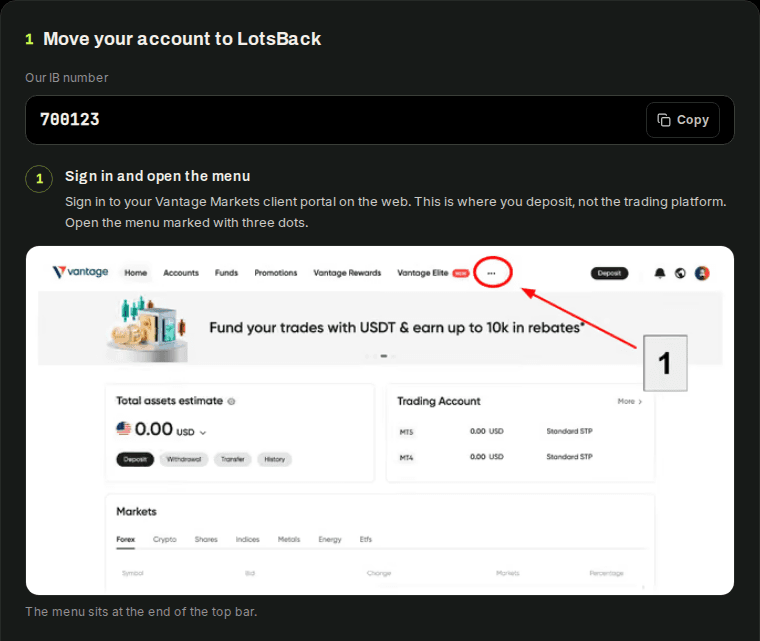
Every broker names the page differently. These steps show how to find it, with one broker's portal as the example.
Sign in to your broker's client portal on the web. This is where you deposit and open accounts. The trading platform does not have this page.
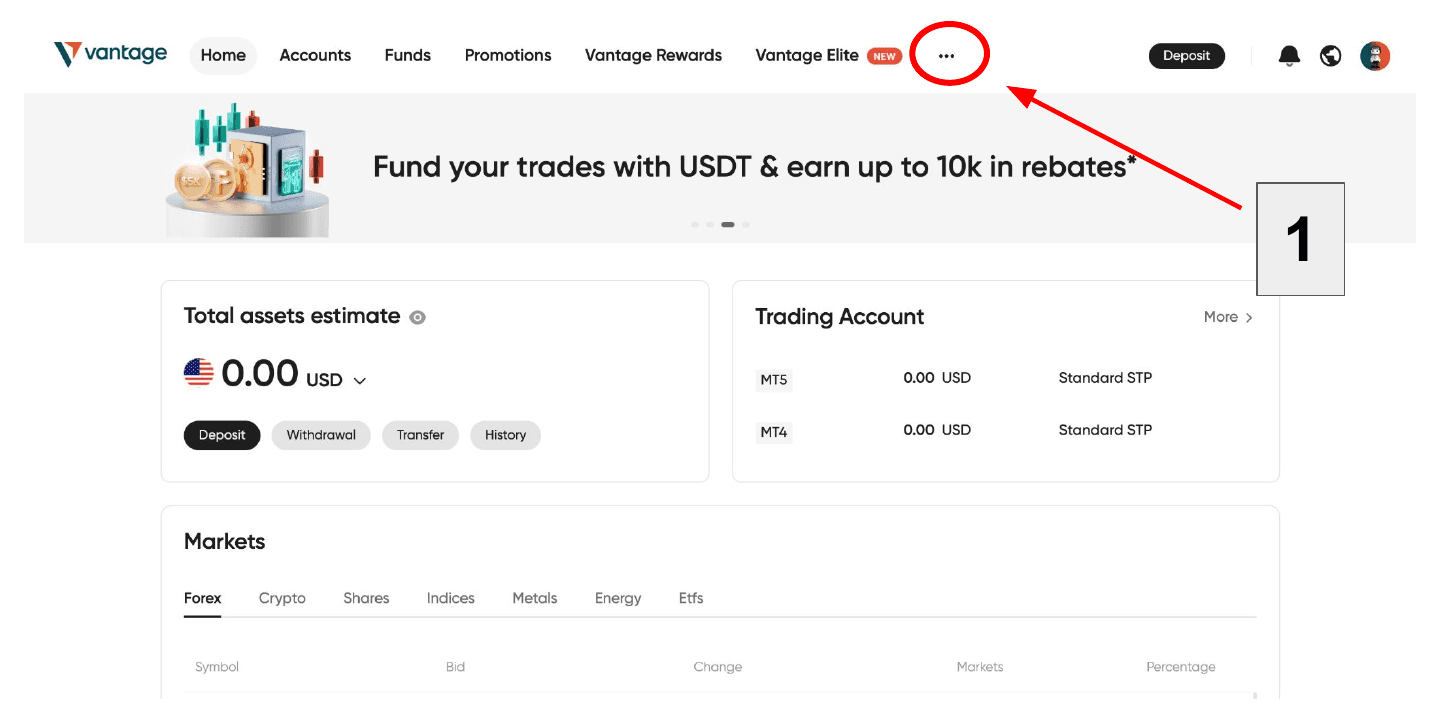
Look for Profile, My profile or Account settings. It is often under your name, your picture, or a menu marked with three dots.
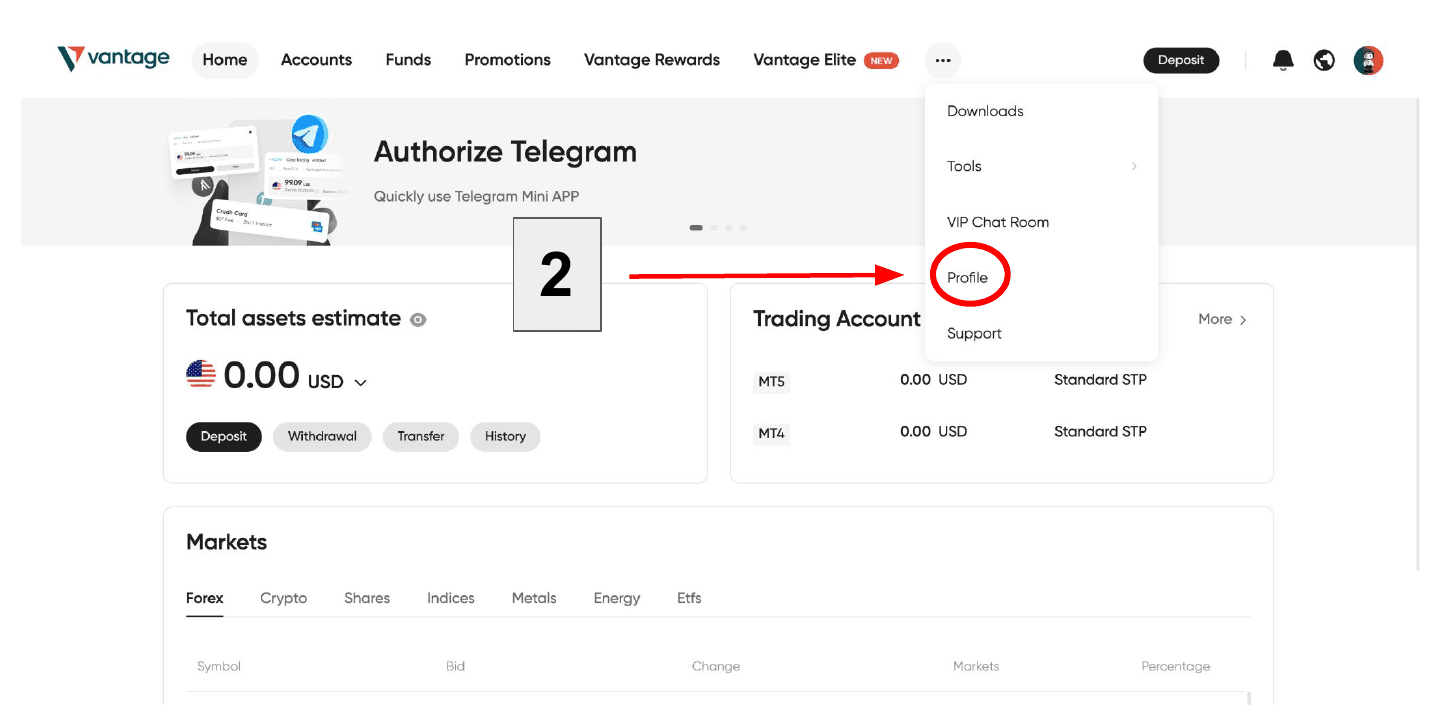
Brokers name it differently. Look for a tab or a link with one of these names.
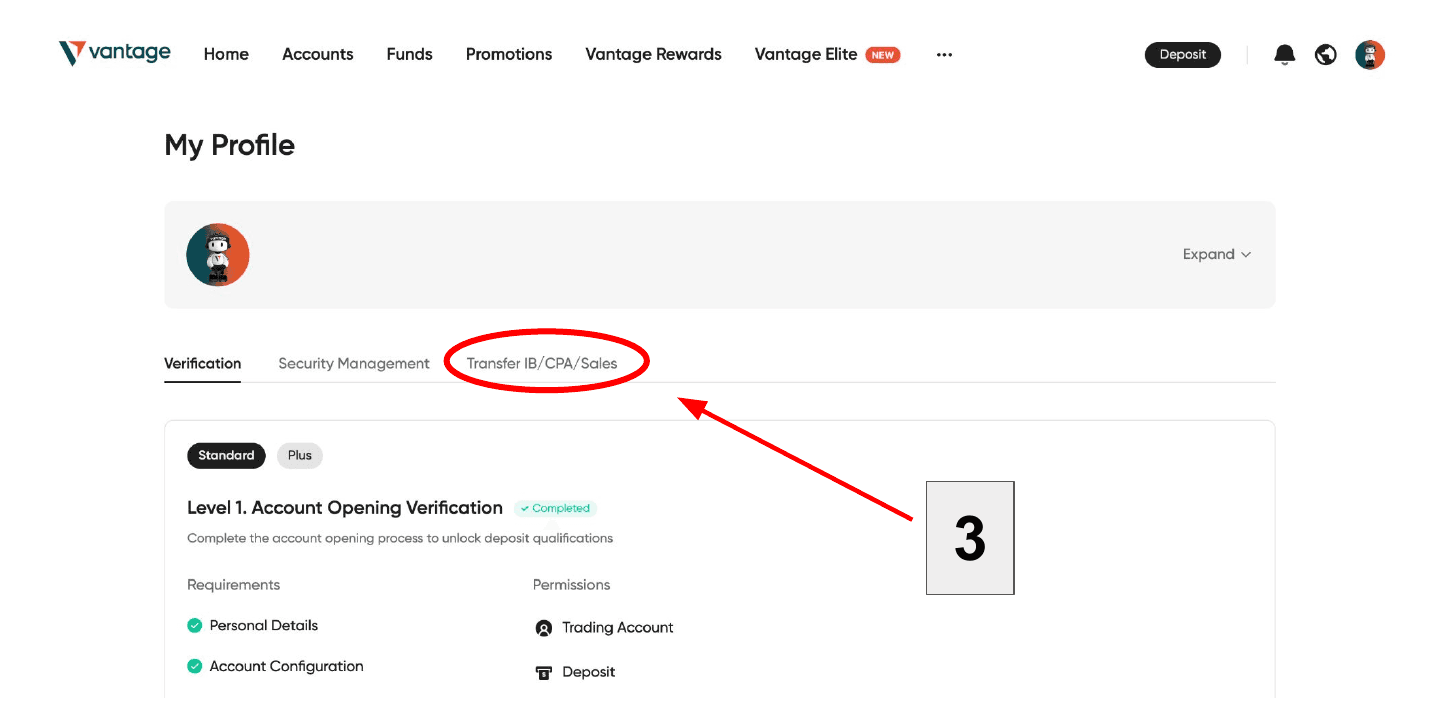
Fill in the form as below, then submit it. Your broker may not ask for every line.
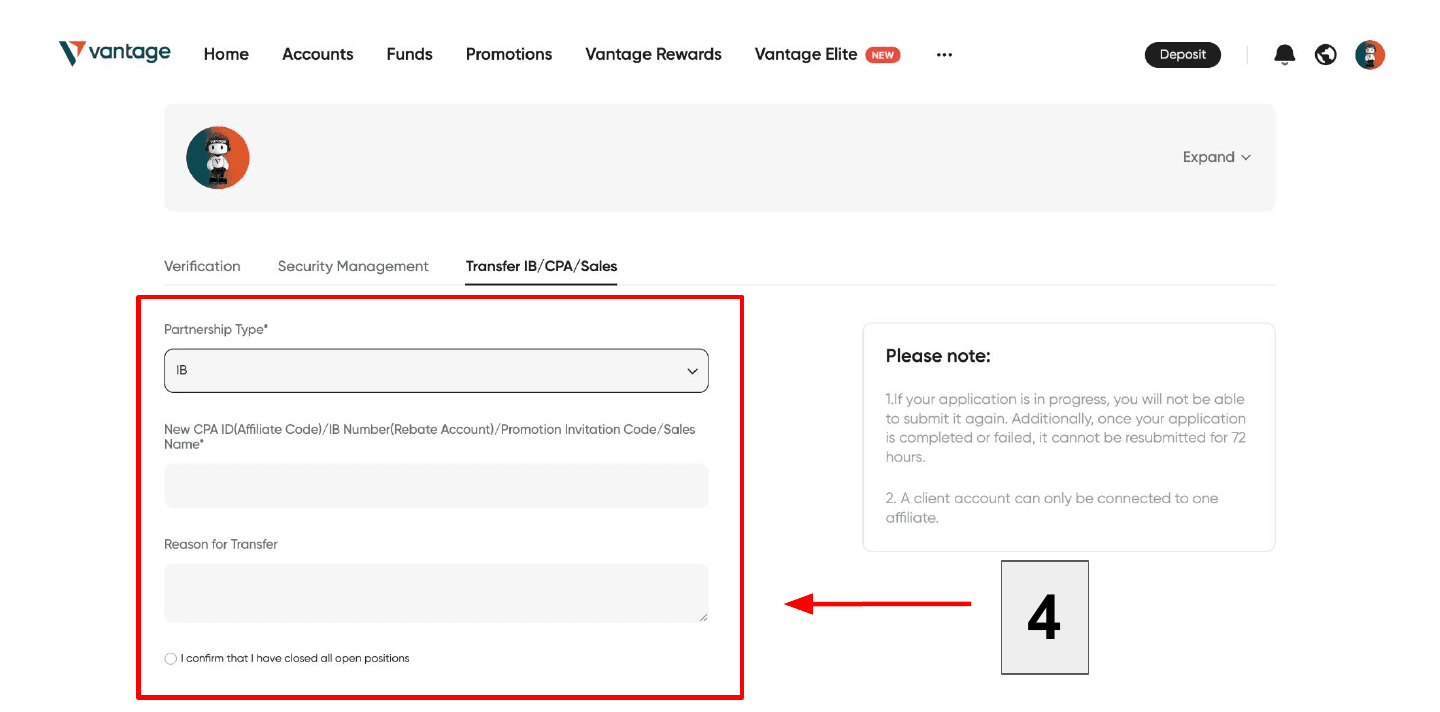
No such page? Some brokers only move an account when you ask their support. Send them this by live chat or email.
Hello, Please move my account to the IB below. New IB number: [the IB number shown in LotsBack] My client ID: [your client ID] Email on my account: [your email] I have closed my open positions. Thank you.
Back in the LotsBack tab, under the steps, enter what your broker holds for you.
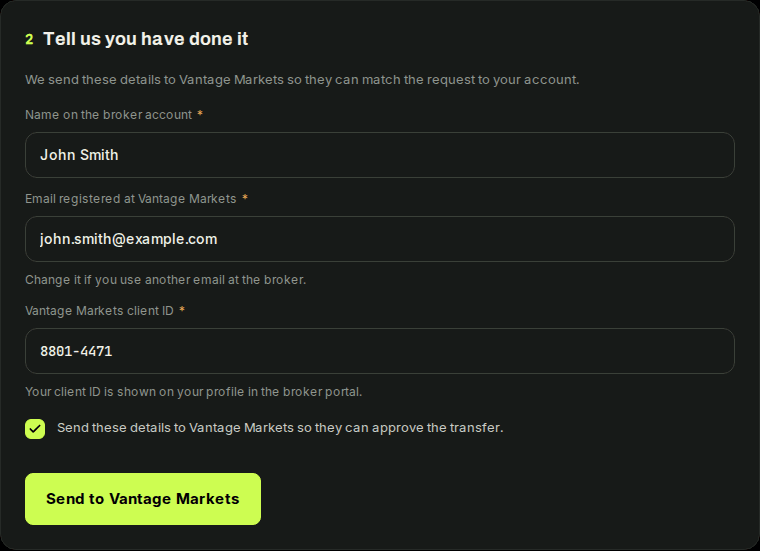
The box lets LotsBack send these details to your broker. LotsBack then emails the broker's partner manager, so they can match the request to your account and approve it.
Press Connect this account and enter the server, login and investor password. You do not have to wait for the broker. The journal and the calendar work from the first sync.
Approval is the broker's step. While it waits, your request reads Sent to your broker. LotsBack checks the broker's list for you.

Once the broker lists the account under LotsBack, the request reads Approved. The account card reads Confirmed by the broker.
Every eligible lot you close after that is priced at the published rate and joins the weekly cycle. Lots closed before the move do not earn.
The request reads Not approved, with the reason. You can ask again after 72 hours. If the broker will not move the account, open a new one through the partner link and connect that. Both accounts can stay connected. Only the one the broker lists under LotsBack earns.
Start in LotsBack.
Our IB number for your broker is shown there.